Day 16 The Wareville’s Key Vault grew three sizes that day.
Day 16 The Wareville’s Key Vault grew three sizes that day.
Learning Objectives
- Learn about Azure, what it is and why it is used.
- Learn about Azure services like Azure Key Vault and Microsoft Entra ID.
- Learn how to interact with an Azure tenant using Azure Cloud Shell.
Azure Overview
Azure is a Cloud Service Provider (CSP) like AWS or Google Cloud. It offers on-demand resources like servers and storage, letting users scale up or down as needed. Key advantages include:
- Pay-as-you-go: Only pay for what you use.
- Scalability: Easily handle increased demand during busy times.
- Wide range of services: Over 200 services for tasks like identity management, data processing, and app development.
Key Azure Services
Azure Key Vault:
- Stores sensitive data like passwords, API keys, and certificates securely.
- Vault owners control access and can track who accesses the data.
Microsoft Entra ID (formerly Azure AD):
- Manages user identities and permissions.
- Ensures only authorized users/apps can access resources.
Assumed Breach Scenario
This is a security test where it’s assumed an attacker already has access to the system. The goal is to:
- Explore how far they can go.
- Identify weaknesses in the system.
- Strengthen defenses against potential threat
Practical
- Start the cloud lab and use the given credential
- when ask for authentication select Ask Later
- now you are in the azure dashboard
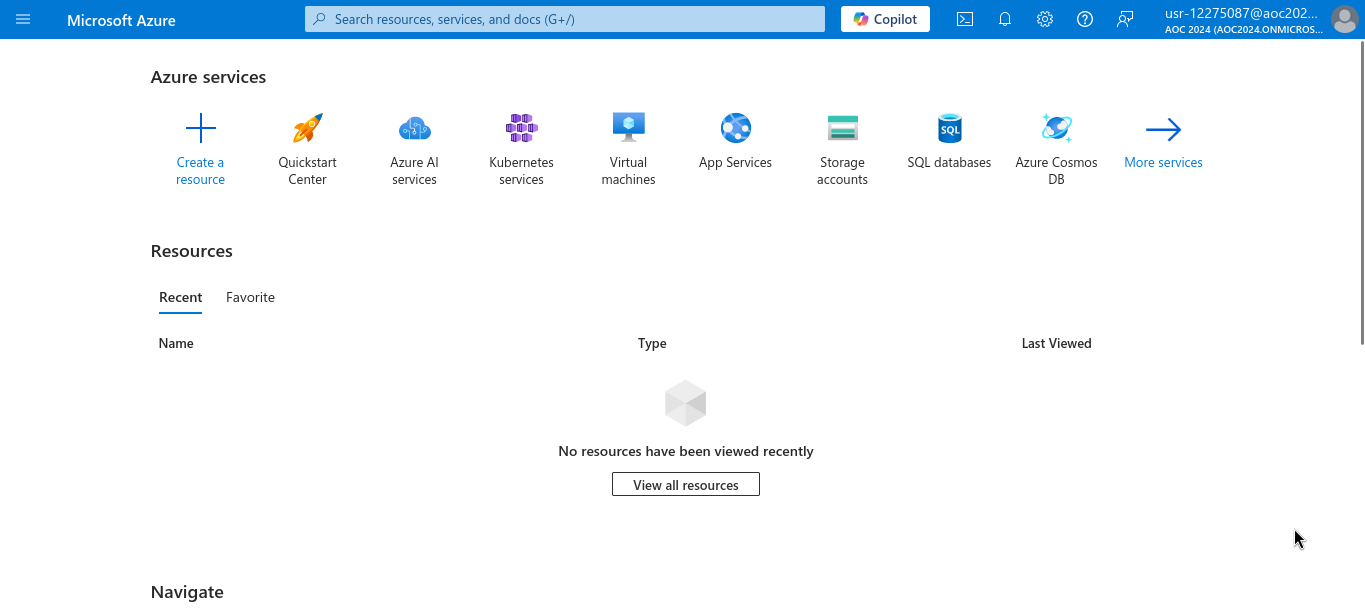
- click on Azure CLI and select Bash
- the terminal will start
- the password is
R3c0v3r_s3cr3ts!it can be found underwvusr-backupwarewhen you use commandbash az ad user list --filter "startsWith('wvusr-', displayName)"
- the ID of Secret Recovery Group is
7d96660a-02e1-4112-9515-1762d0cb66b7can be found using command1
az ad group list
- the
1
az keyvault secret list --vault-name warevillesecrets - log out usng
az account clear - now log in
az login -u wvusr-backupware@aoc2024.onmicrosoft.com -p R3c0v3r_s3cr3ts! - search for vault with warevillesecrets name
1
az keyvault secret list --vault-name warevillesecrets - find name of vault secret is
aoc2024 - find the content on it using
1
az keyvault secret show --vault-name warevillesecrets --name aoc2024
- the content is
WhereIsMyMind1999
This post is licensed under CC BY 4.0 by the author.